Welcome to Immersify
What is Immersify?
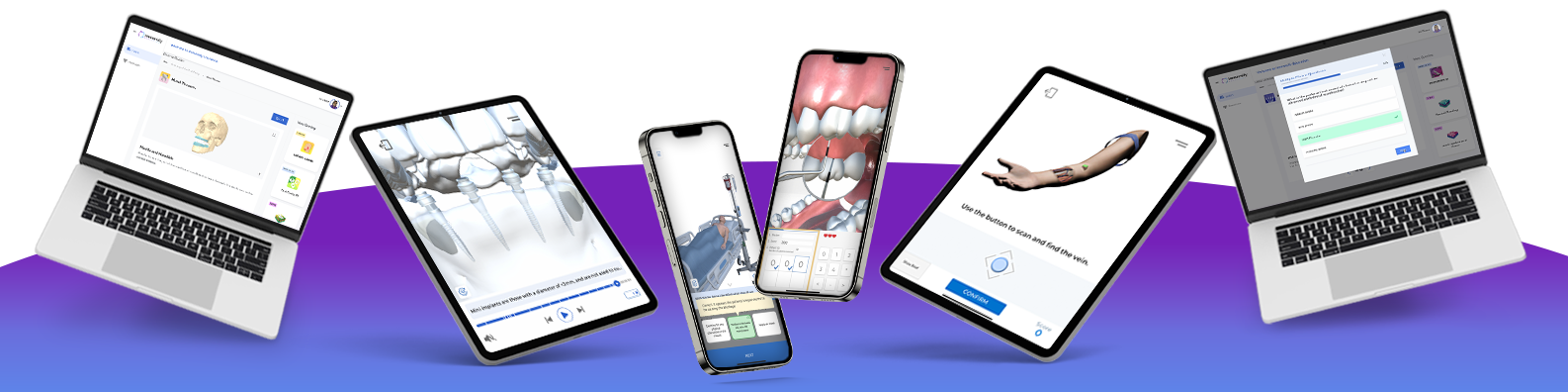
Immersify is an educational resource that bridges the gap between theory and practice, allowing students to explore dentistry with interactive 3D models and state-of-the-art augmented reality technology as if they were in a real clinical setting. Immersify allows dental students to learn anywhere, anytime through their smartphones, tablets, or computers.
Immersify is transforming dental education around the world through:
-
Interactive lessons
-
Practical resources
-
Engaging visuals
-
Immersive simulations

“Our platform has been created with efficiency, engagement and enjoyment at the forefront”
Download Immersify


Add Immersify to your syllabus or reading list!
Scan below to launch Immersify

FAQ
What happens if I already have an account in the Immersify app?
Your current account will give you access only to the features included in the published version of the app. When you sign in with your institution email, you will unlock different experiences and lessons that are exclusive for you.
I have forgotten my password: what can I do?
Fill in the email box on the Sign in page of the app, then click on “Forgotten your password?”. You should receive an email from “PlayFab” with instructions to reset your password. Please, check the Junk folder if you cannot find this email in your Inbox.
Where can I find tutorials?
You can access the Tutorials by going to the side menu and clicking on “Tutorials”: you can also visit the Immersify Education YouTube channel for additional videos. If you still have questions about how to use the application, please contact us at: support@immersify.com
How do I know if my mobile device is compatible with Immersify?
Please refer to “A Selection of Compatible Devices” by scrolling down on this page.
Does the Immersify Platform offer any type of qualification?
Not yet – our goal is to have CPD hours attached to completing modules. But for now our platform is the perfect additional resource to equip learners with the relevant information and reliable content that is needed to progress throughout their career, from their academics and onward as they enter into their profession.
Is Immersify also available to download on a Desktop?
Yes, it is. For our institutional partners, check out the download portal for access to the desktop versions here. Of note, simulations on Immersify that require interaction through augmented reality and other advanced technologies are only accessible on a Mobile device, such as a phone or tablet. From the desktop, when you reach a simulation that requires mobile, a screen will pop up, offering you the QR code to go directly to play the experience from the Immersify app on your compatible device.
What should I do if I need tech support?
Contact us! You can reach us via email at support@immersify.com, Monday – Friday, 9 am to 5 pm UK time. Our Tech team will ask some questions in order to best troubleshoot your enquiry, such as what type of device you are using and whether you are on Wi-fi or Data when connecting. The more information they have, the better they can assist you.
A selection of compatible devices
Android
- From Samsung Galaxy A4, J5, Note 9, Tab S6, Note 9, Z Flip and S9 onwards
- From Google Pixel 2 onwards
- From Huawei Mate 20, P20 and P30 onwards
- Xiaomi Redmi Note 7, Note 7 Pro and Mi A3
- OnePlus
iOS
- From iPhone 6S onwards
- iPad Mini 4, iPad Mini 5
- iPad Air 3, iPad Air 4
- iPad (5th through 8th generation)
- iPad Pro
Still need help? Get in touch.